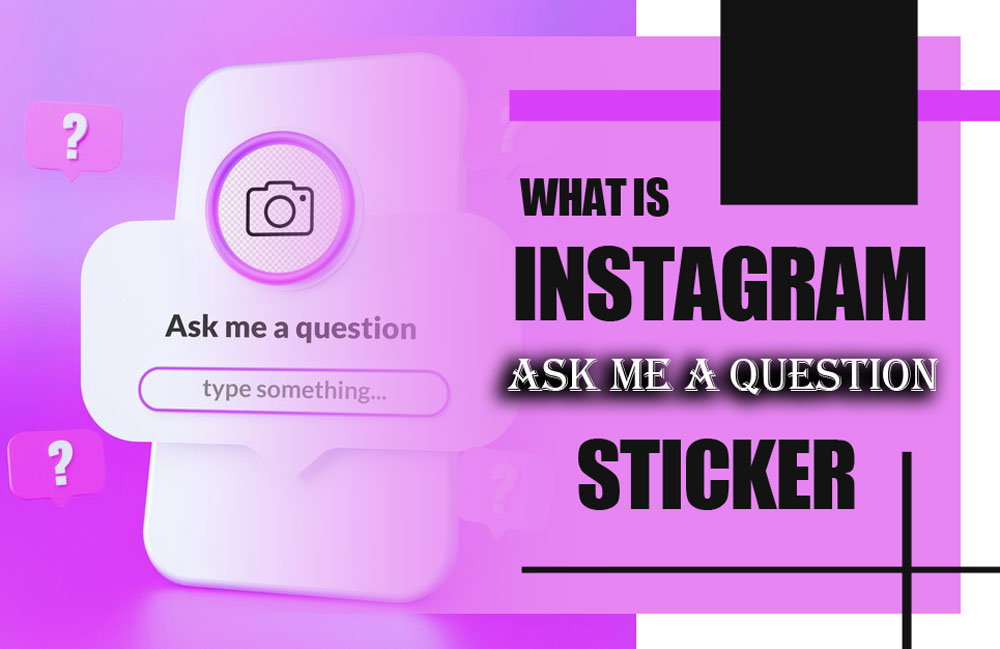
What if one sticker could unlock real conversations, boost your reach, and turn viewers into loyal fans? The Instagram “Ask me a Question” Sticker isn’t just a gimmick; it’s one of the smartest Instagram stories features for sparking curiosity and driving deep Instagram stories engagement. In a world of scrolls and skips, this is your chance to stop the thumb and start a dialogue.
But what makes this sticker so magnetic? How can a simple question transform your Stories from boring to buzzworthy? And what secret strategies do top creators use to turn followers into active participants? Stick around, the answers might just change the way you use Instagram forever! So, follow the article.
What is the Power of Using Instagram “Ask me a Question” Sticker?
On the surface, the Ask me a question Instagram feature may seem like just another tool in your Stories, but in reality, it’s one of the most effective social media interaction tools out there.
It allows for authentic conversations, organic reach, and valuable content inspiration, all within your Story frame. Key benefits of using the “Ask me a Question” sticker are:
- Boosts Engagement: It encourages two-way interaction, pushing your followers to become active participants instead of silent viewers.
- Helps You Understand Your Audience: The questions people ask give you valuable insights into their needs, interests, and pain points.
- Provides Content Ideas: Many of your best content pieces can come directly from the questions your audience asks.
- Builds Trust and Transparency: When you take time to respond authentically, it shows your audience that you care.
- Drives Algorithm Signals: The more people interact with your Stories; the more Instagram boosts your visibility. The more people interact with your Stories, the more Instagram boosts your visibility. Want to understand which numbers really matter? Learn about the Essential Instagram Metrics to Measure Success.
- Humanizes Your Brand or Persona: Audience’s love seeing the person behind the posts; this sticker invites them in.
- Enhances Instagram follower engagement: Creating moments of direct connection increases audience loyalty and makes them feel personally valued.
Consider that to make your interactive Stories look even more professional, make sure they’re high-quality. Read our post on Why Are My Instagram Stories Blurry? for quick fixes.
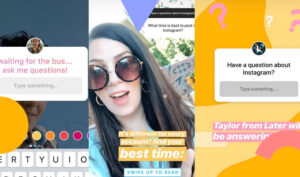
Where & How to Utilize “Ask Me a Question” on Instagram?
To maximize the power of the Instagram “Ask me a Question” Sticker, you need to know both where to use it for best results and how to do it properly. Random use might get some attention, but strategic placement gets real engagement.
Strategic use of the “Ask Me a Question” sticker is a great start, but if you want to scale your reach, our article on How to Increase Instagram Followers in 2025 covers everything you need to know.
Best Places to Use It
- In Daily Stories, as part of your regular story content, maintain consistency.
- During Launches or Events: Ask what your followers want to know about an upcoming release or campaign.
- For AMA (Ask Me Anything) Sessions: Host regular Q&A days to build routine engagement.
- Pre- or Post-Content Posts: Let people ask follow-ups about a recent post or get hyped for a future one.
- To Build FAQ Highlights: Collect the best questions and turn them into valuable Story Highlights.
When used strategically, this tool becomes one of the most interactive Instagram features for building community and driving conversions.
How to Add the Instagram “Ask Me a Question” Sticker? Step-by-Step
- Open Instagram Stories: Swipe right from your feed or tap the “+” icon and select “Story”.
- Upload or Create Content: Choose a photo or video that sets the context.
- Tap the Sticker Icon: It’s located at the top of the screen.
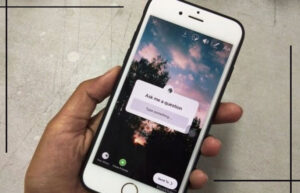
- Select “Questions”: This brings up the Instagram question sticker.
- Customize the Prompt: You can leave the default (“Ask me a question”) or change it to match your theme.
- Position the Sticker: Drag to place it where it looks best on your story.
- Post Your Story: Tap “Your Story” to publish.
- View Responses: Swipe up on your story to view responses under the “Seen by” section.
- Respond Publicly: Tap a question and choose “Share Response” to answer it in a new story. Don’t worry, followers won’t see who asked it.
Reminder: You’ll see who asked each question, but when you share it publicly, it remains anonymous to your audience.
Also be careful sometimes, you may see an error saying a story is unavailable when checking responses. Don’t worry, we explain what it means and how to fix it in Why Does Instagram Say Story Unavailable?
This feature, like many other Instagram interactive stickers, thrives when used in tandem with compelling content, consistency, and a clear call to action.
before sharing your responses, you can download Instagram stories by InstaLite to keep it as content for reels or highlights later.

(+20) Dynamic Ideas for Instagram “Ask Me a Question” Feature
Generic prompts like “Ask me something” can fall flat. To truly encourage participation using the Instagram “Ask Me a Question” Sticker feature, your question prompt needs context, creativity, and clarity.
Here’s a curated list of 20+ unique and powerful question ideas, categorized by theme, including fresh, never-before-seen suggestions designed to spark real conversations and boost your story engagement.
Behind the Scenes
- “Ask me anything about the behind-the-scenes of my latest project!”
- “How did you develop the idea for your latest video?”
Personal Insights
- “What’s something you’ve always wanted to know about me?”
- “What’s a random fact most people don’t know about me?”
Expert Advice
- “Need advice on [insert your niche]? Ask away!”
- “What’s the #1 mistake to avoid in [your field]?”
Travel Tips
- “Ask me anything about my recent trip to Japan!”
- “What are the must-visit cafes in Paris?”
Book Recommendations
- “Looking for a book that’ll change your life? Ask me for recs!”
- “Can you suggest a book on mindset/personal growth?”
Life Lessons
- “Want a real lesson from my journey? Ask anything.”
- “What’s the biggest failure that taught you the most?”
Fitness Tips
- “Ask me how I stay fit without going to the gym!”
- “Struggling with motivation? I’ve got tips!”
Product Reviews
- “Ask me about my go-to skincare or tech products!”
- “What’s the last product I bought and loved?”
Daily Routine
- “Curious about my morning routine? Ask anything!”
- “How do you balance work, life, and content?”
Fun Facts
- “Want to hear a weird fact about my hometown?”
- “Ask me something totally random, I dare you!”
Upcoming Projects
- “What do you want to know about what’s next?”
- “Can I give you a teaser of my next launch?”

Hobbies
- “Want to know how I got into [hobby]? Ask away!”
- “What’s a hobby I wish I had more time for?”
Cooking/Baking
- “Need recipe ideas? Ask me anything food-related!”
- “What’s my go-to comfort food dish?”
Relationship Advice
- “Have questions about love, balance, or boundaries? Ask me!”
- “What’s the best piece of relationship advice I’ve received?”
Tech Talk
- “Want an app that makes your life easier? Ask me!”
- “Ask me my favorite AI tools for productivity.”
Career Advice
- “Looking to grow your career? I’ve got you, ask anything!”
- “How do you handle career setbacks?”
Fashion Tips
- “Ask me about my wardrobe staples for fall!”
- “How do you build a minimalist closet?”
Pet Care
- “Need help training a puppy or picking the right food? Ask me!”
- “What pet gadgets do I actually use?”
Self-Care
- Need ideas for a self-care Sunday? Ask me!”
- “What’s my nighttime wind-down routine?”
Future Plans
- “Curious what’s coming next in my journey? Ask away!”
- “What’s one goal I’m manifesting right now?”
This or That
- “Pizza or burger, which team are you on?”
- “Morning workout or evening yoga, what’s your pick?”
Myth Busting
- “What’s a common myth about skincare you want me to debunk?”
- “Heard any crazy myths about social media marketing? Ask me!”
If I Could Go Back
- “What’s one career decision I’d change if I had a time machine?”
- “If I could redo one day in my life, which would it be?”
Unpopular Opinions
- “What’s a popular trend I think is totally overrated?”
- “Which viral challenge do I secretly think is pointless?”
Media Recs
- “Looking for a binge-worthy series? Ask me for recommendations!”
- “What’s my all-time favorite podcast for motivation?”
Hour Challenge
- “Want to know about my current no-sugar-for-24-hours challenge?”
- “Got a fun 24-hour challenge idea? Drop it here!”
Deep Talk
- “What’s a life question you’ve been struggling with lately?”
- “Let’s get real, what’s one thing you wish more people understood?”
Giveaways
- “Ask me anything to enter today’s exclusive giveaway!”
- “Want a chance to win? Just drop a question below!”
Pro Tip: Combine your Instagram story polls and questions into one sequence for layered engagement, first a poll, then a question box for deeper insight.
In the end, the “Ask Me a Question” sticker works best when paired with an understanding of how engagement impacts your reach. Want to know the secret behind it? Read our article on What Is Instagram Algorithm in 2025.
Inference
The Instagram “Ask me a Question” Sticker is more than just another feature; it’s a full-fledged engagement tool that taps into the emotional, curious, and creative sides of your audience. The best part? It works across industries, niches, and brand types. Whether you’re looking to educate, entertain, or inspire, this feature, along with other Instagram interactive stickers, gives you the flexibility to do just that.
Ready to spark real interaction with your next story? Choose a question prompt and try it today. Bookmark this guide for your next content planning session. Share your favorite question idea from this list with your audience!
Can I see who asked the questions when I add the “Ask me a Question” sticker?
Yes, you can see the username of each person who submits a question, but when you share their question in a new story, their identity remains anonymous to your followers.
How can I respond to “Ask me a Question” sticker questions?
You can reply privately via direct message or publicly by sharing the question and your answer in a follow-up story.
Does using the “Ask me a Question” Sticker increase engagement?
Yes, it encourages interaction, which boosts your story’s visibility and helps increase Instagram follower engagement and reach.
Can I customize the “Ask me a Question” sticker prompt?
Yes, Instagram allows you to edit the default text (“Ask me a question”) to create personalized or themed prompts tailored to your content or campaign.
Can I use the “Ask me a Question” Sticker in Instagram Reels or only in Stories?
Currently, the sticker is only available in Instagram Stories, not in Reels or feed posts.